Kobo gliding computer
Transforming a Kobo e-reader into a compact, airworthy gliding computer for real-time flight data and navigation.
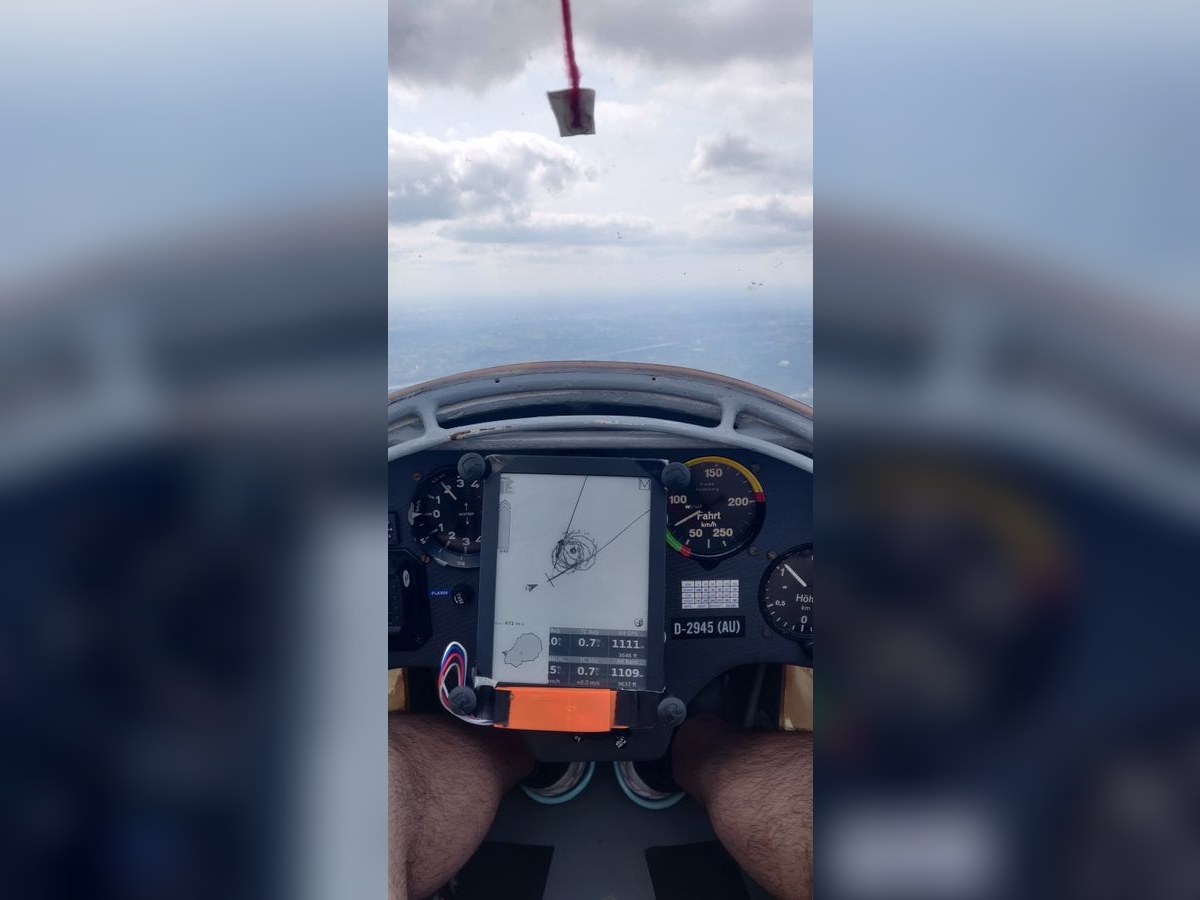
After performing nearly $100$ glider flights and logging over $25$ flight hours as pilot in command time, I wanted to have a flight computer to help with thermalling (circling in the rising air currents) and keeping track of important flight parameters and location to help with flying ever increasing distances (XC). But looking at popular models like the LXNAV and Oudie series devices, they run quite pricy ranging from $800\,$€ to $1000\,$€, which is quite expensive for a student as myself to buy for the relatively short thermal season in Belgium.
Looking for alternatives, I came across the XCSoar open-source gliding computer project designed to run on a wide range of platforms such as Windows, Linux, and especially e-readers.
After finding out that the Kobo Clara HD e-reader could work for this application with it having an e-paper display that is readable in direct sunlight and being relatively cheap, I bought it, but there was a big issue. E-readers such as the Kobo Clara HD don’t typically contain GPS and barometric sensors. Luckily there is the Blueflyvario, a lightweight module that provides both GPS and barometric pressure data, which can be soldered to the UART pins inside the Kobo e-reader.
Software
The Kobo contains a small microSD card with the operating system and e-books, this needs to be flashed with the XCSoar image (after backing up the original filesystem). As the Kobo Clara HD is not officially by the XCSoar project, certain features don’t work out of the box such as the wifi and ftp access. After digging through endless threads on the Mobileread forums (which were an invaluable resource), I was able to find solutions to the software issues I encountered and develop scripts that enable wifi and open ports for telnet access. These configuration files and scripts are freely available on my Github.
Hardware
Selecting the BlueFlyVario_TTL_GPS_v22 to give the Kobo GPS and barometric capabilities allows the XCSoar program to know the live in-flight location and can measure slight variations in altitude (useful for thermal soaring). But in order to make it communicate to the e-reader, it needs to be soldered directly to the internal UART terminal (TX, RX, 5V, GND).
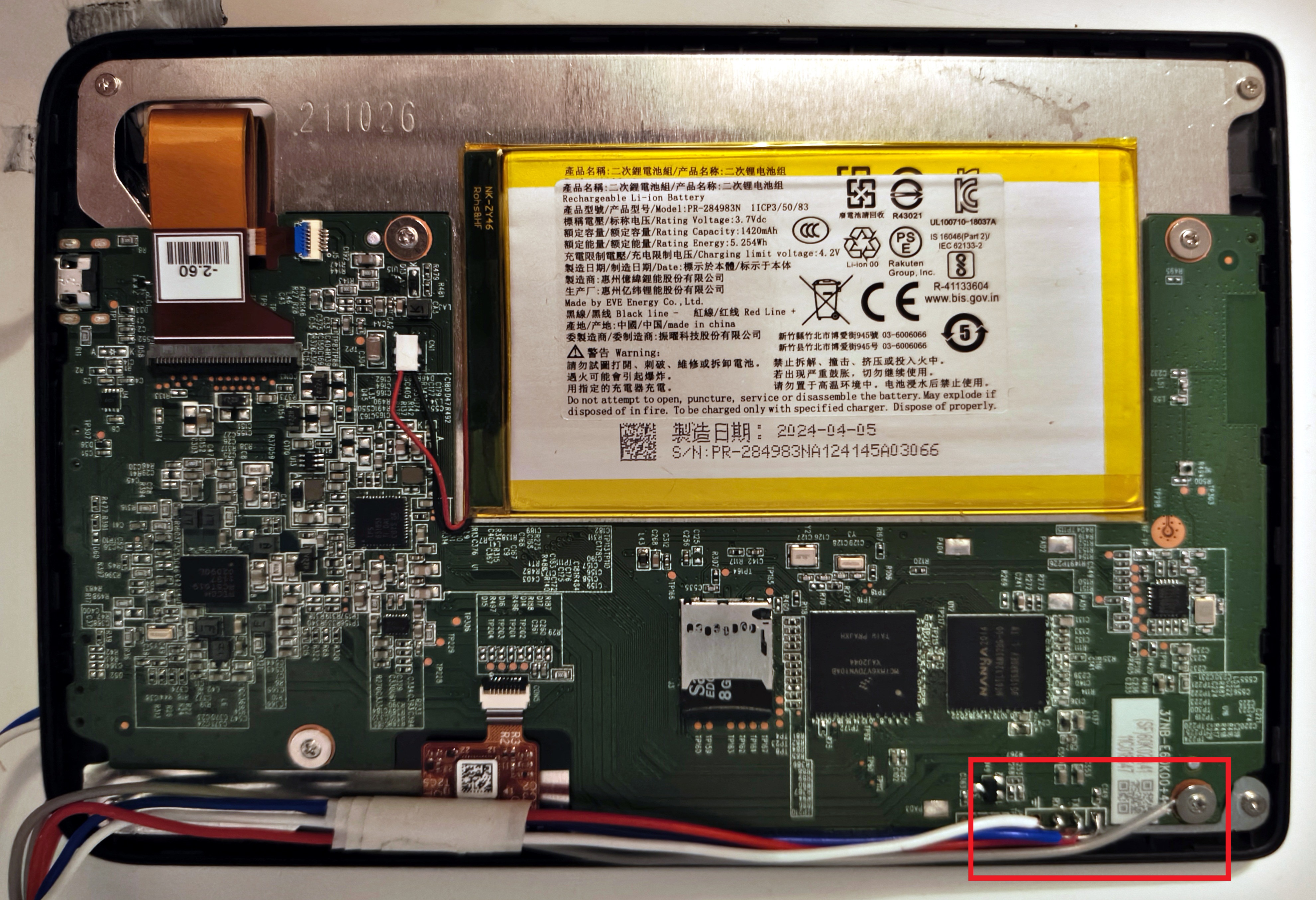 Wiring of the Blueflyvario module to the Kobo e-reader UART port.
3D printed cover
As the bare Blueflyvario module can be easily damaged by moisture, dust or mechanical damage which may happen inside an cockpit environment, I designed a small lightweight cover for it to protect it from these factors while keeping the setup compact.
I modeled the cover in Autodesk® Fusion 360, starting from precise measurements of the Blueflyvario TTL_GPS_v22 board given by the manufacturer. The enclosure consists of a simple two-part shell: a shell that holds the module snugly in place, and a thin bottom cover that slides into the shell and keeps the board securely inside the cover.
Several iterations of test prints were made to fine-tune tolerances and adjust the positioning of the mounting holes. The final design weighed less than 5 grams and can be printed in under 30 minutes on a standard FDM printer, making it easy to reproduce.
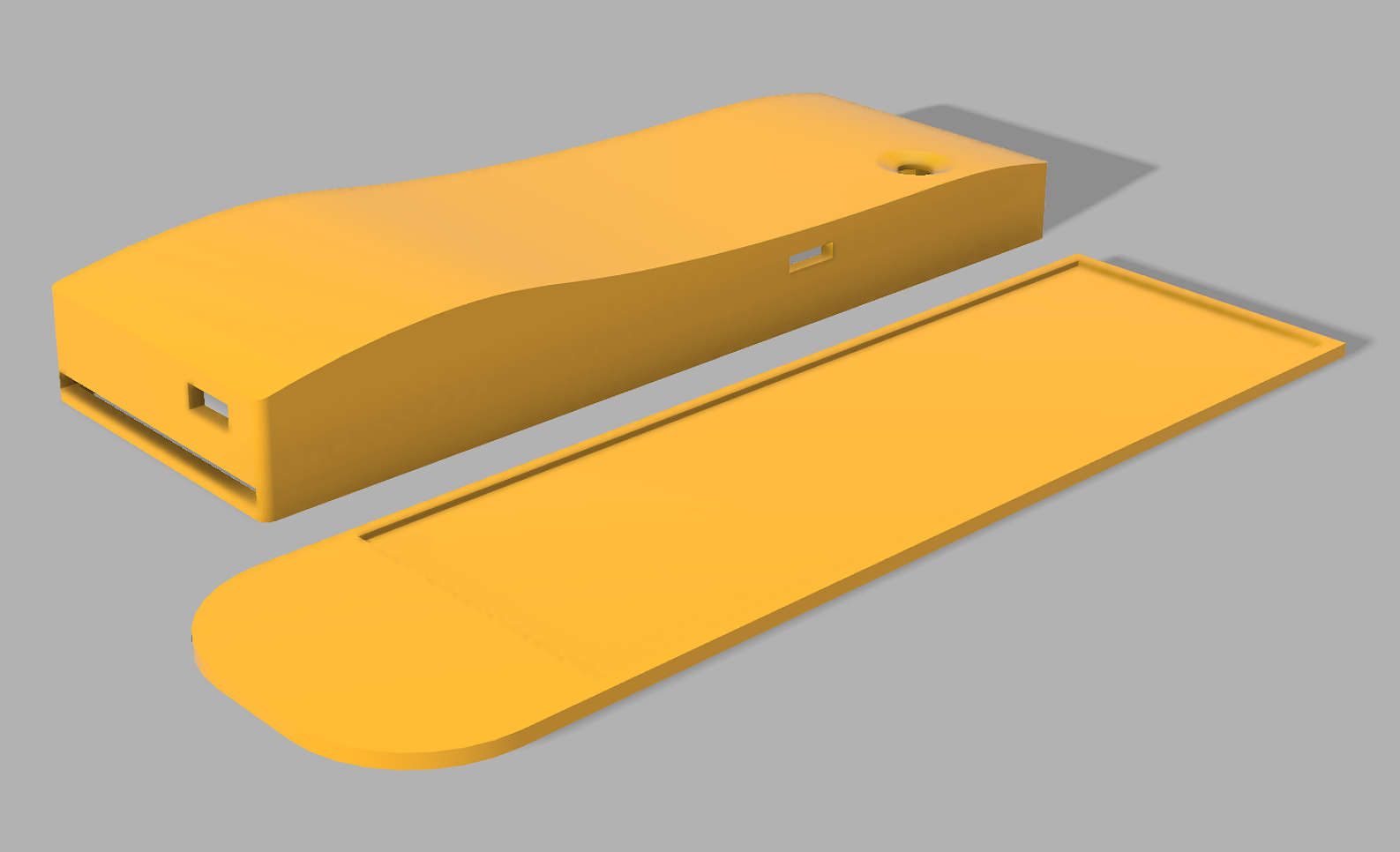 Blueflyvario shell and bottom cover designed in Autodesk® Fusion 360.
Mounting
In order to mount the flight computer securely inside the glider, I needed a setup that was both stable and easy to remove between flights.
Fortunately, the gliders were recently fitted with standard RAM® Mount type B balls (thanks Edwin), making it easy to attach the gliding computer using RAM mount components. I opted for the RAM Mount X-Grip Universal 7–8 inch Tablet Holder (UN8BU) which is a perfect fit for the Kobo, paired with a RAM Mount B-size double socket arm (RAM-B-201U) to connect the holder to the ball in the cockpit.
This combination provided a firm yet adjustable hold, keeping it within easy reach and clearly visible during flight without blocking the other cockpit instruments.
Testing
Coupling the flight computer to Condor 2, a soaring simulator for PC, I was able to finetune the infoboxes, containing flight parameters, to my preference and verify the correct loading and display of airspace regions.
On the next good thermal day, I took to the skies and tested the Kobo in real conditions. It performed exceptionally well, allowing me to visualize a clear heatmap of rising air throughout my circling.
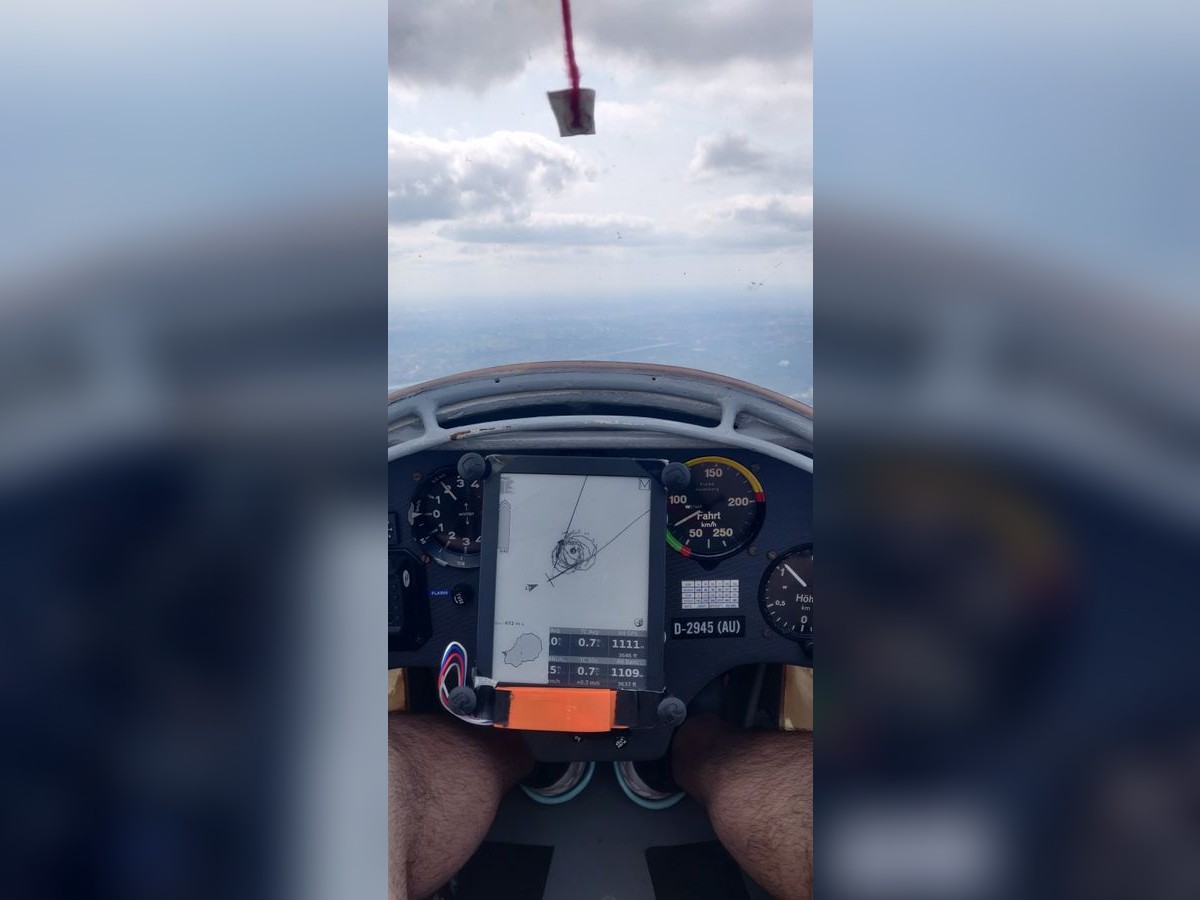 Inflight test using Schleicher K8b glider (D-2945 AU).
Results

Thanks to the excellent Mobilereads forum and my previous programming and soldering experience, I was able to build a fully functional flight computer for about $350\,$€, offering performance comparable to flagship models that cost several times more. It’s a lightweight, reliable setup that perfectly suits my needs for the yearly soaring season.
Some small improvements that I plan to do is to route the wires through the Kobo case to make the design more integrated and change the Blueflyvario cover material to PETG for it’s UV and heat resistance.